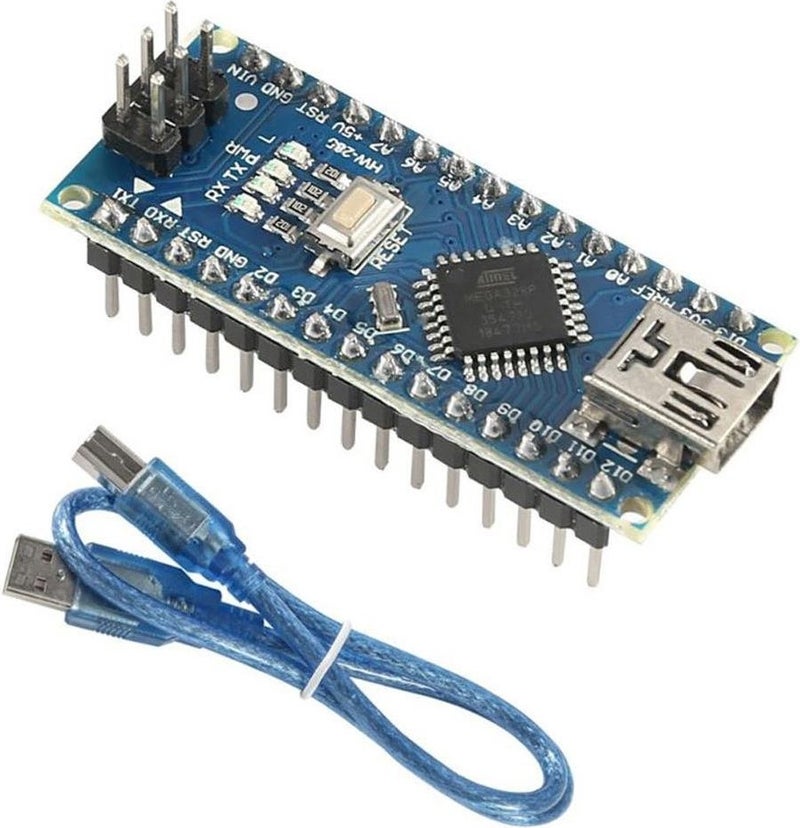
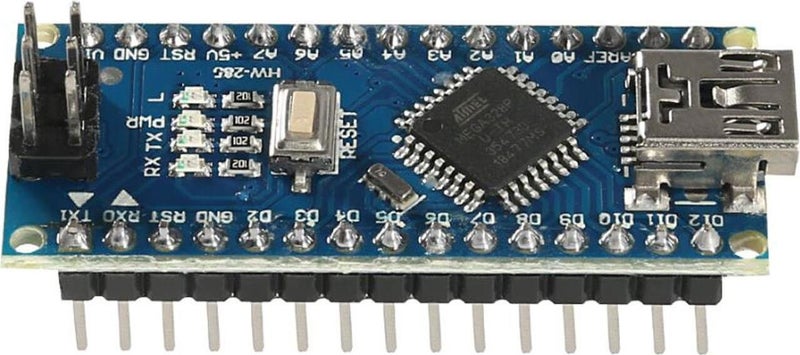
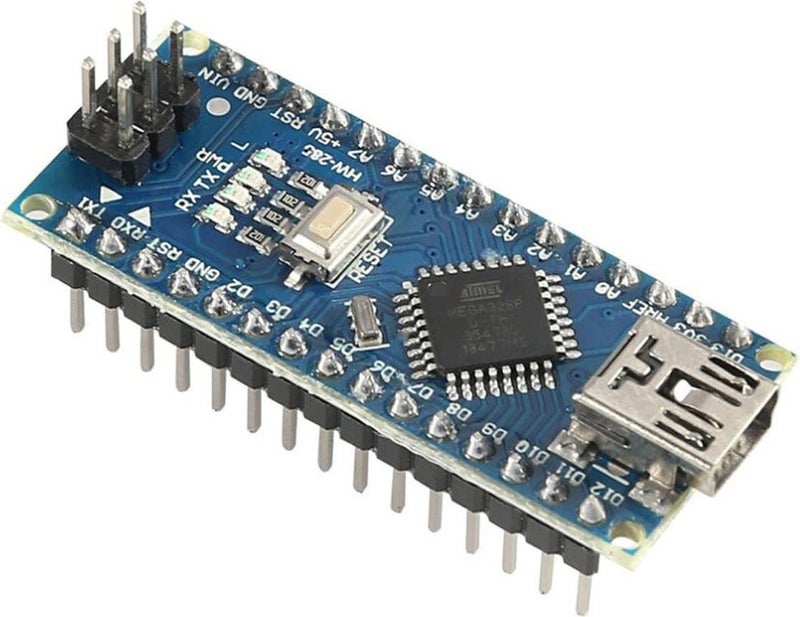
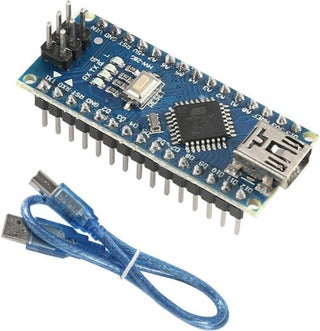
Arduino Nano basically the same as Arduino Unoı It is a model that has the same features but is much smaller in size. Like Arduino Uno It uses the ATmega328 microcontroller. It was written for Uno, thanks to its similarities with Uno. any software. You can use Nano as you wish.
The main difference in this clone of Arduino Nano is usedığı programming integrated (USB-Serial converter) CH340
Technical Features:
- Microcontroller ATmega328
- Operating Voltage 5V
- Loginş Voltage (recommended) 7-12V
- Loginş Voltage (limit) 6-20V
- Digital I/O Pins 14 (6 of which are PWM pins)
- Analog Inputş Pins 8
- Current 40 mA for each I/Oç
- 3.3V Çılowış Current for 50 mA
- Flash Memory 32 KB (ATmega328) up to 2 KB It is used by the bootloader
- SRAM 2KB (ATmega328)
- EEPROM 1KB (ATmega328)
- Clock Speed 16MHz
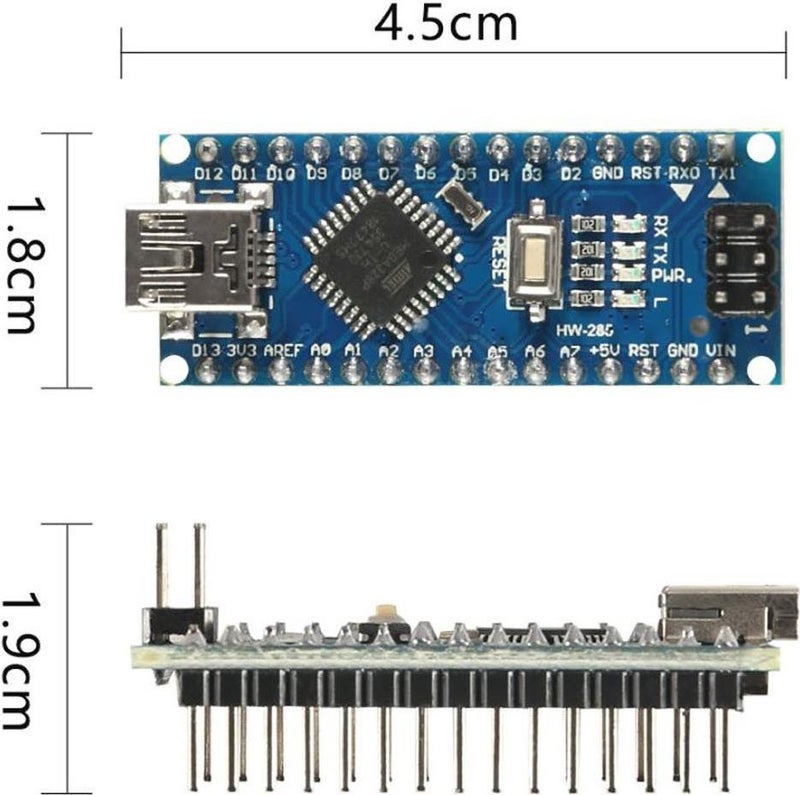
- Length 45mm
- Width 18 mm
- Weight 5 g
Loginş and Çıkış:
All 14 digital pins on the nano are input. or çıshış Can be used as. 8 analog inputsş There is also a pin. This analog inputş The pins are the same. şdigital input like thisş and çıshış Can be used as. In other words, there are a total of 20 digital inputs on the card. çıshış It has a pin. The logic level of all of these pins is 5V. Each pin max. 40mA inputş and çıshış currentı It works with. Additionally, someı pins are different It has some features. Special pins are as stated below.
- Serial Communication, 0 (RX) and 1 (TX): TTL It is used to receive and transmit (RX) serial data (TX). These pins are directly connected to the FT232 usb-serial converter located on the card. It kills. In other words, when uploading code from the computer to the card or when reciprocal communication occurs between the computer and the nano. These pins are used when communicating. Therefore, there should be no errors while uploading the code to the card or communicating. It is beneficial not to use these pins unless necessary.
- External Interrupt, 2 (interrupt 0) and 3 (interrupt 1): These pins can be used as rising edge, falling edge, or change interrupt pins.
- PWM, 3,5,6,9,10 and 11: PWM with 8-bit resolution Can be used as pins.
- SPI, 10 (SS), 11 (MOSI), 12 (MISO), 13 (SCK): These pins are used for SPI communication.
- LED, 13: Connected to pin 13 via Nano It has a built-in LED. When the pin is set to HIGH, the LED will turn on, and when the pin is set to LOW, the LED will turn off.
- Analogue, A0-A7: Nano has 8 10-bit analog inputs with limited resolution. It has the pin. These pins are digital inputş and çıshış Can be used in. Measurement range of pins It is 0-5V. The lower limit can be increased and the upper limit can be decreased by using the AREF pin and the analogReference() function.
- I2C, A4 or SDA pin and A5 or SCL pin: These pins are used for I2C communication.
- AREF: Analog inputş Reference pin for .
- Reset: When you want to reset the microcontroller, this pin is set LOW. Reset operation can also be done with the Reset Button on the card.
Package 's231'
1 Arduino Nano
1 Piece Usb Cable
 Free & Easy Returns
 Best Deals














![/fashion-men/jack_jones/?sort[by]=popularity&sort[dir]=desc&limit=50](https://a.nooncdn.com/cms/pages/20240305/4ef48af441e2b44cea1673cd2e4aff67/en_dk-men-brands-04.png)



![/fashion-men/seventy_five/?sort[by]=popularity&sort[dir]=desc&limit=50](https://a.nooncdn.com/cms/pages/20240305/4ef48af441e2b44cea1673cd2e4aff67/en_dk-womens-new-brands-01.png)
![/fashion-men/skechers/?sort[by]=popularity&sort[dir]=desc&limit=50](https://a.nooncdn.com/cms/pages/20240305/4ef48af441e2b44cea1673cd2e4aff67/en_dk-womens-new-brands-02.png)


![/fashion-women/mango/?sort[by]=popularity&sort[dir]=desc&limit=50](https://a.nooncdn.com/cms/pages/20240305/4ef48af441e2b44cea1673cd2e4aff67/en_dk-women-brands-05.png)
![/fashion-women/guess/?sort[by]=popularity&sort[dir]=desc&limit=50](https://a.nooncdn.com/cms/pages/20240305/4ef48af441e2b44cea1673cd2e4aff67/en_dk-women-brands-09.png)


![/fashion-women/ella/?sort[by]=popularity&sort[dir]=desc&limit=50](https://a.nooncdn.com/cms/pages/20241812/en_dk-nav-brands-01.png)
![/fashion-women/skechers/?sort[by]=popularity&sort[dir]=desc&limit=50](https://a.nooncdn.com/cms/pages/20241812/en_dk-nav-brands-02.png)



![/fashion/view-all-kids-clothing/nike/?sort[by]=popularity&sort[dir]=desc&limit=50](https://a.nooncdn.com/cms/pages/20240911/nav-web/en_mb_uae_brand-01.png)
![/fashion/view-all-kids-clothing/disney/disney_minnie_mouse/disney_frozen/disney_princess/disney_mickey_mouse/disney_baby/?sort[by]=popularity&sort[dir]=desc&limit=50](https://a.nooncdn.com/cms/pages/20240911/nav-web/en_mb_uae_brand-03.png)





![/fashion/view-all-kids-clothing/new_balance/?sort[by]=popularity&sort[dir]=desc&limit=50](https://a.nooncdn.com/cms/pages/20240911/nav-web/en_mb_uae_brand-11.png)





























![/baby-products/momcozy/?f[partner][]=p_9404&sort[by]=popularity&sort[dir]=desc&limit=50&page=1&isCarouselView=false&av=0](https://a.nooncdn.com/cms/pages/20241031/navrev-baby/en_uae_dk-nav-04.png)













































![/music-movies-and-tv-shows/musical-instruments-24670/pianos-keyboards-synthesizers/roland/?sort[by]=popularity&sort[dir]=desc&limit=50&page=1&isCarouselView=false](https://f.nooncdn.com/cms/pages/20250407/books-nav/en_uae_dk-nav-brands-05.png)
![/music-movies-and-tv-shows/musical-instruments-24670/pianos-keyboards-synthesizers/mike_music/?sort[by]=popularity&sort[dir]=desc&limit=50&page=1&isCarouselView=false](https://f.nooncdn.com/cms/pages/20250407/books-nav/en_ksa_dk-nav-brands-04.png)